

NESTERMIND AI STUDIO
All your property marketing.
One platform.
Marketing one listing is dozens of jobs scattered across a dozen tools. The AI Marketing Studio brings them inside your CRM: drop in listing photos and AI enhances, stages and declutters them — then generates on-brand flyers, carousels, videos and newsletters, ready to publish.
01. AI suggestions
The AI knows what your photo needs
On upload, the AI analyses every image and suggests the improvement with the biggest impact – dark room? Exposure. Empty room? Staging. Grey sky? Blue. One click, and the suggestion is applied.
Try a suggestion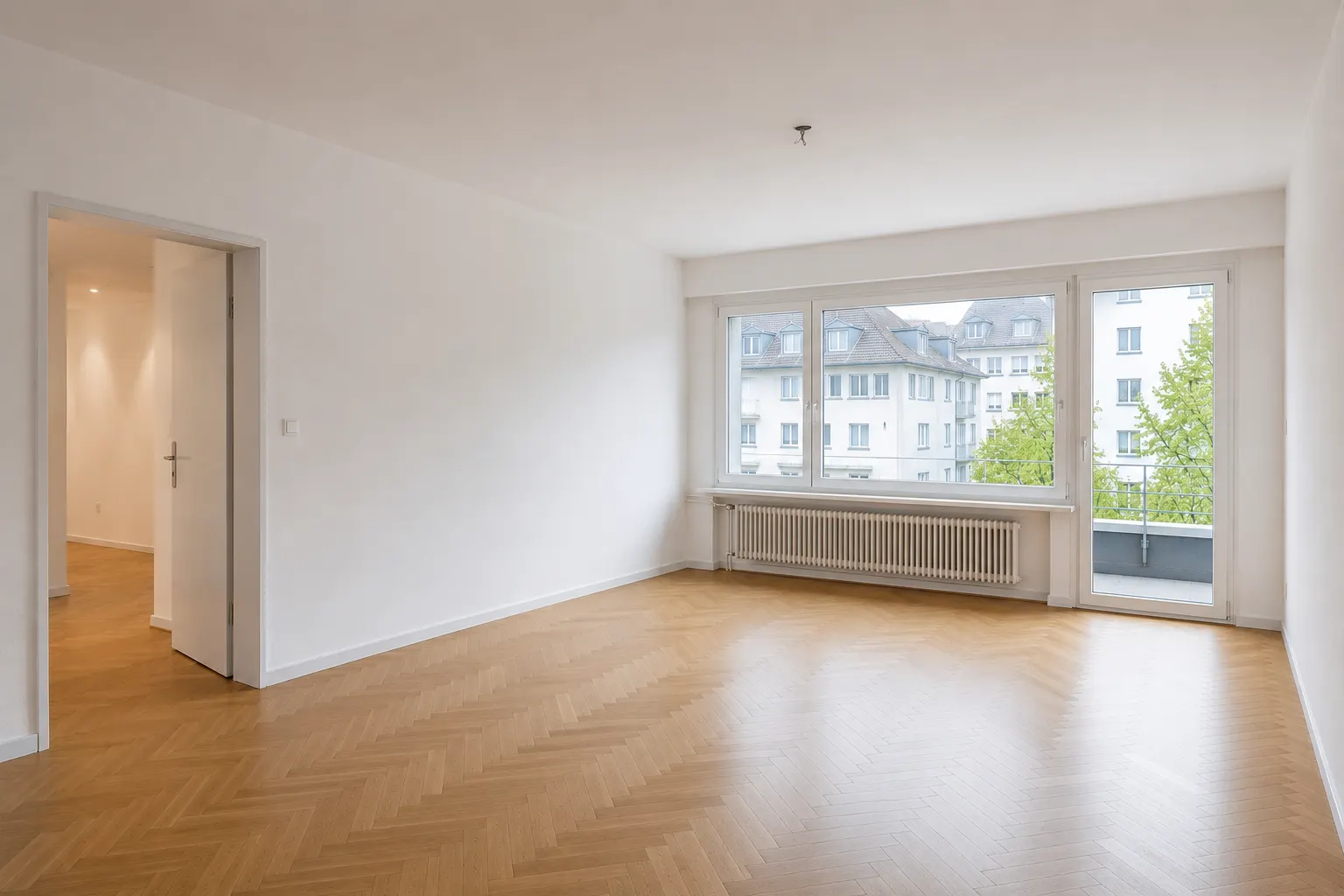 Analysed
Virtual staging
Biggest impact for this photo
02. Virtual staging
Furnish any empty room in seconds
Stage empty rooms in a Modern, Scandinavian or Luxury look — photorealistic furniture with correct perspective and lighting, while walls, windows and floors stay untouched.
Stage a photo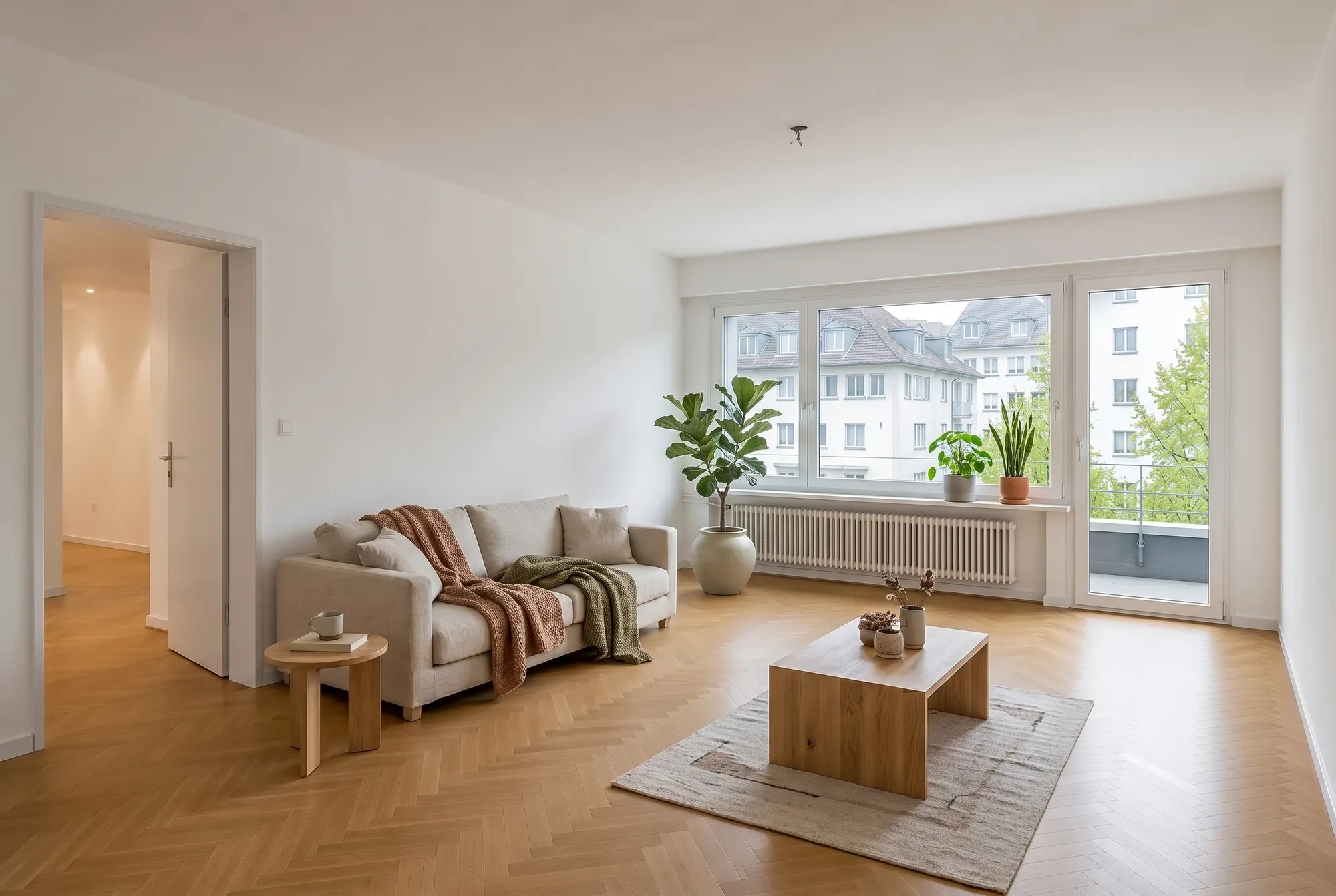 EmptyStaged
03. Declutter & empty
Clear the clutter, keep the room
Remove personal items and mess for a clean listing shot — or empty a room entirely. Surfaces behind removed objects are seamlessly reconstructed to match the original.
Try declutter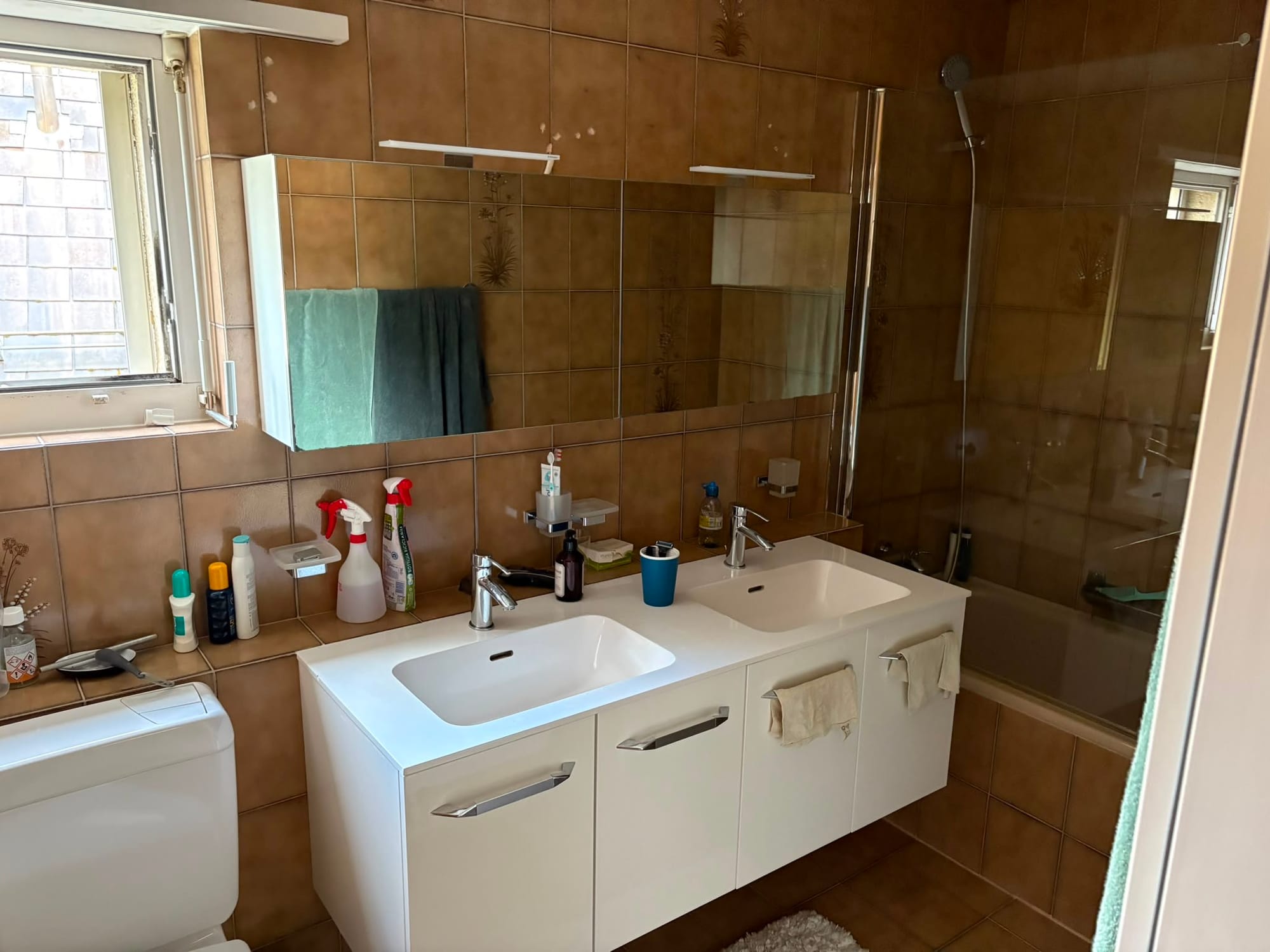
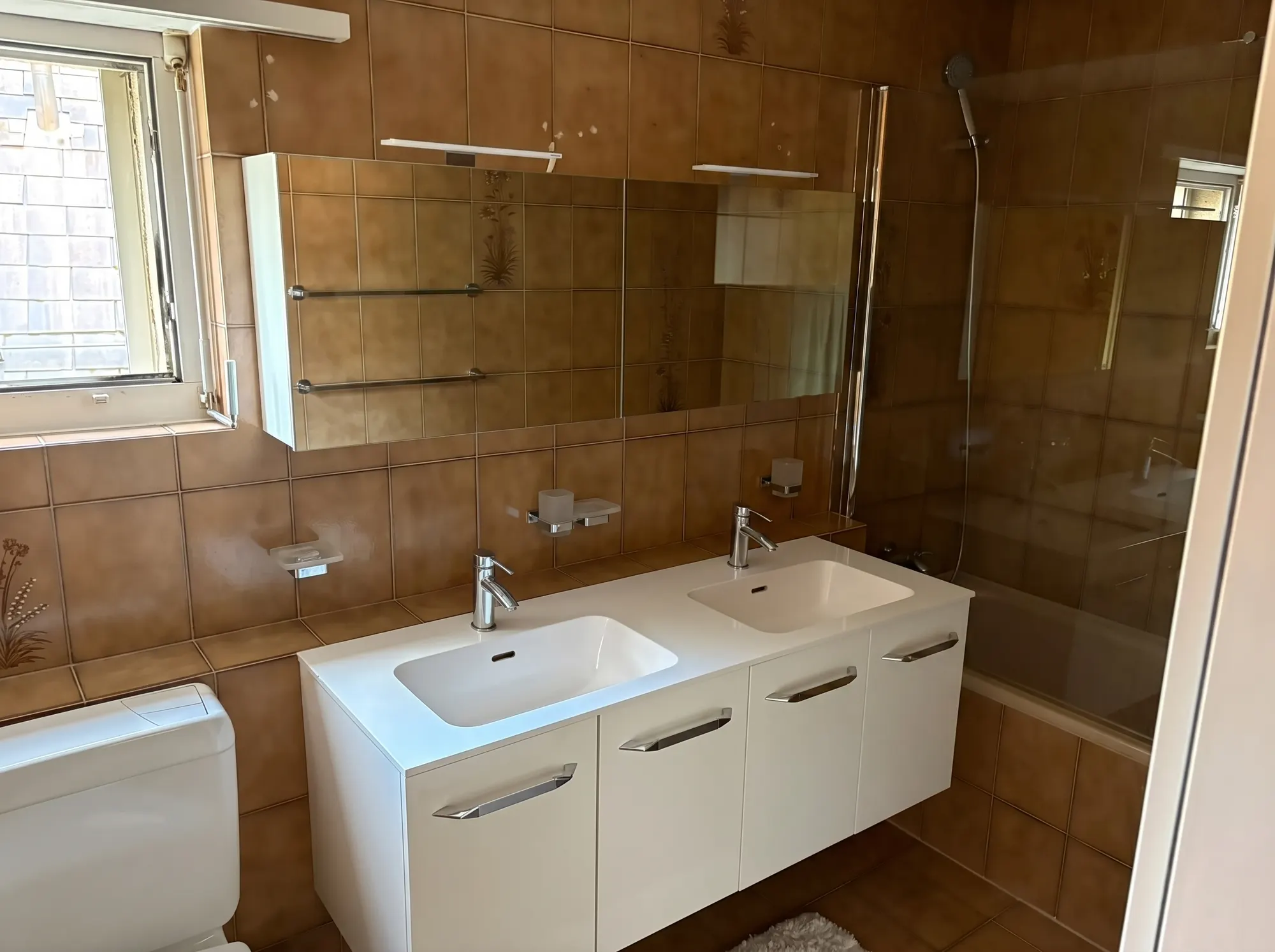 BeforeTidied
04. Talk to the image
Edit a photo by describing it
Type “add a pendant light and a framed artwork” and the photo updates. One click also fixes exposure, swaps a grey sky for blue or restyles dated finishes.
Open the editor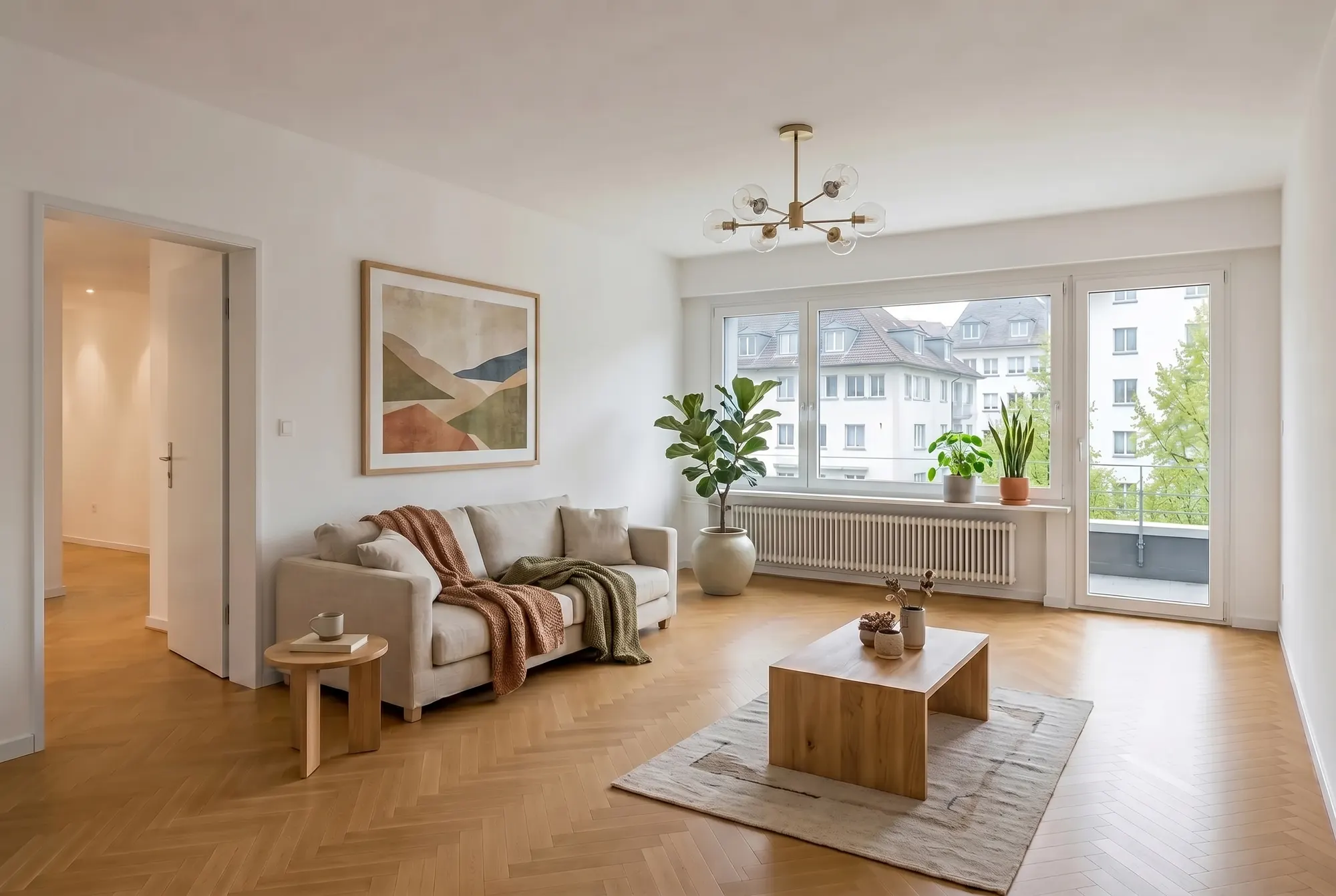 Added
Added
Your listings become campaigns, not static entries
Join 450+ real-estate professionals turning photos into finished marketing in minutes — all inside nestermind.
05. On-brand content
Flyers and carousels that build themselves
Fetch your branding — logo, colours and fonts — and the Studio generates print-ready flyers and LinkedIn carousels from your staged photos, on-brand and ready to publish.
See it in actionOn-brand06. Property video
Turn photos into a branded reel
Your listing photos become a short, branded video with AI-written captions — perfectly sized for Instagram, LinkedIn and property portals.
Create a reel07. Floor plans 2D & 3D
From old scan to 3D floor plan
Upload a sketch or scan — the Studio redraws it as a clean 2D plan and generates a furnished 3D dollhouse view. The most-clicked element of your listing, in minutes instead of days.
Upload a floor plan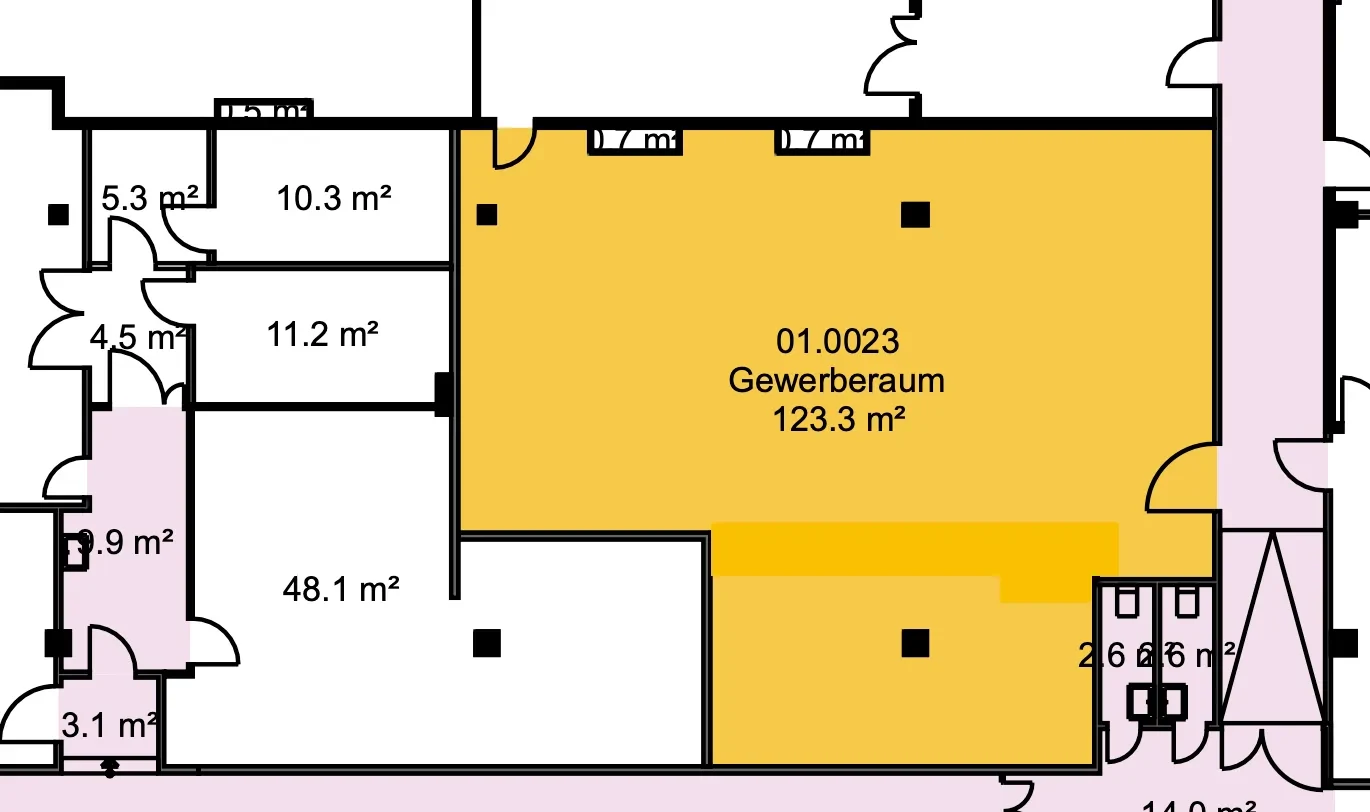
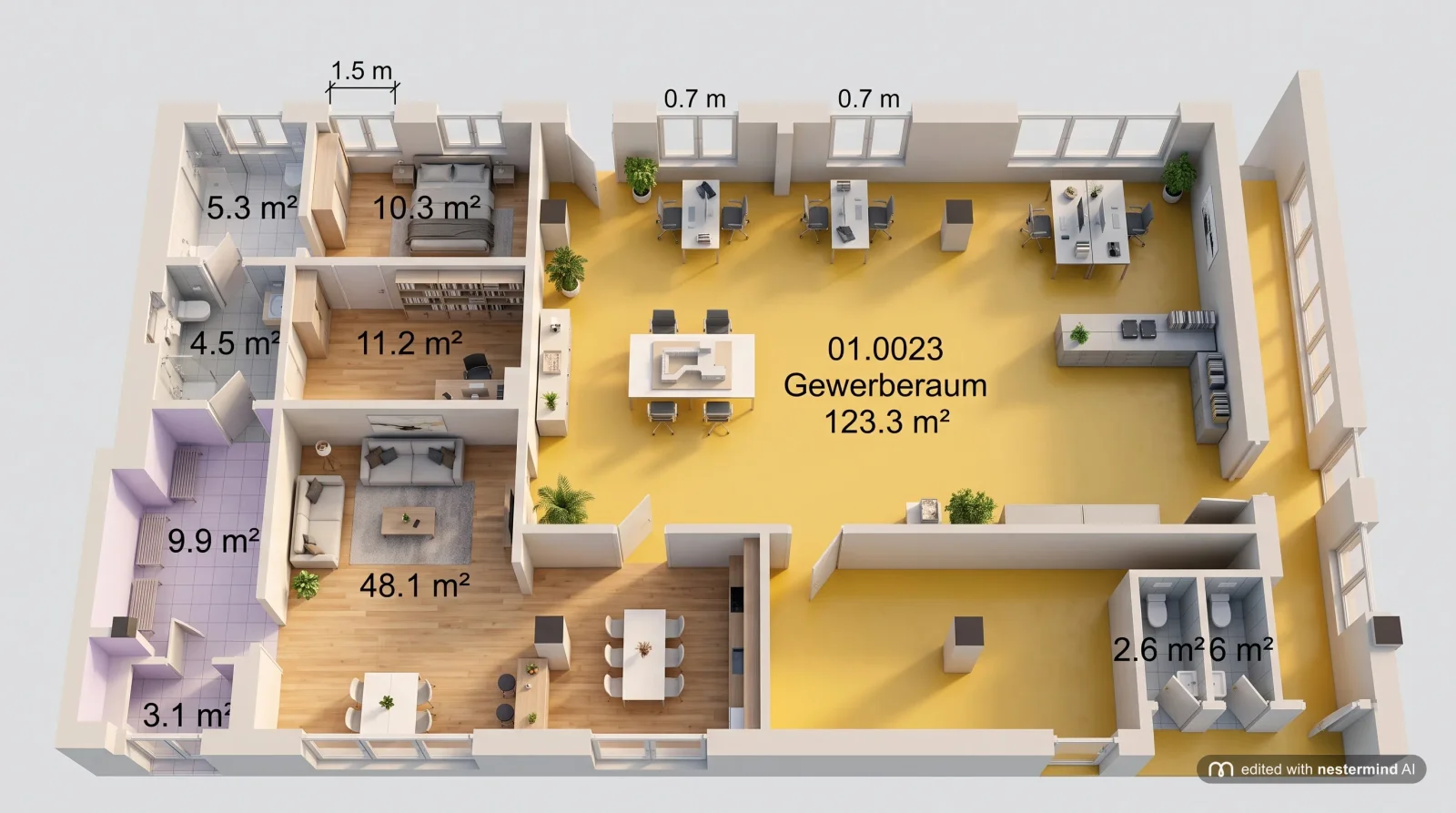 Scan3D
08. One toolkit
Every marketing job, inside your CRM
Image editing and marketing content in one place: enhancement, staging, declutter, restyle, LinkedIn posts, Instagram Stories and newsletters are live today — listing descriptions are coming soon.
Explore the StudioThe Studio tools in detail
Every tool has its own page with examples, a how-to and FAQs.
Virtual Staging
Furnish empty rooms photorealistically – in three styles.
Property videos
Photos become a branded reel – with AI captions.
Photo enhancement
Exposure, blue sky, twilight and straight lines – in one click.
Furniture removal
Remove clutter or empty rooms completely – photorealistically.
Floor plans 2D & 3D
Sketch or scan becomes a clean plan – in 3D too.
LinkedIn posts
AI copy plus on-brand design – ready to publish.
Instagram Stories
9:16 stories with AI copy, caption and hashtags – ready to post.
Watermark
Your logo on all photos – position, size, opacity.
Renovation
Make renovation potential visible – photorealistically.
Book a Demo
See how nestermind drives revenue.
Get a personalized walkthrough of the platform. We'll show you how to automate your admin work and close deals faster with AI.
- Automate 80% of data entry
- Native integration with your tools
- Dedicated migration support
Frequently asked questions
Everything you need to know about the AI-first CRM for real estate professionals.
What is the AI Marketing Studio?
It's nestermind's all-in-one marketing workspace. You upload listing photos and the Studio enhances, stages and declutters them with AI, then turns them into on-brand flyers, LinkedIn carousels, short videos and newsletters — without leaving your CRM.
Do I need design or photo-editing skills?
No. Staging styles, photo fixes and content layouts are one click or a short text instruction away. The Studio handles perspective, lighting and your branding automatically, so the output looks professional by default.
Does virtual staging change the room itself?
No. Staging and enhancements add furniture or fix lighting while keeping walls, windows, floors and proportions exactly as they are. Declutter reconstructs only the surfaces behind removed objects to match the original.
Which tools are available today?
Photo enhancement, virtual staging, declutter, restyle, LinkedIn posts and newsletters are live. Instagram posts and automatic listing descriptions are coming soon.
Come build with us.
We're always looking for talented people to join our mission. Check out our open roles.
We currently do not have any open positions, but you can always send in a spontaneous application.
Ready to upgrade your workflow?
Join 450+ leading real estate professionals using nestermind.