

NESTERMIND AI STUDIO
Remove furniture from photos.
The room stays, the clutter goes.
Occupied properties are hard to photograph: personal items, full shelves, too much furniture. The Studio removes clutter or empties rooms completely – floors, walls and lighting are reconstructed photorealistically. The perfect base for virtual staging.
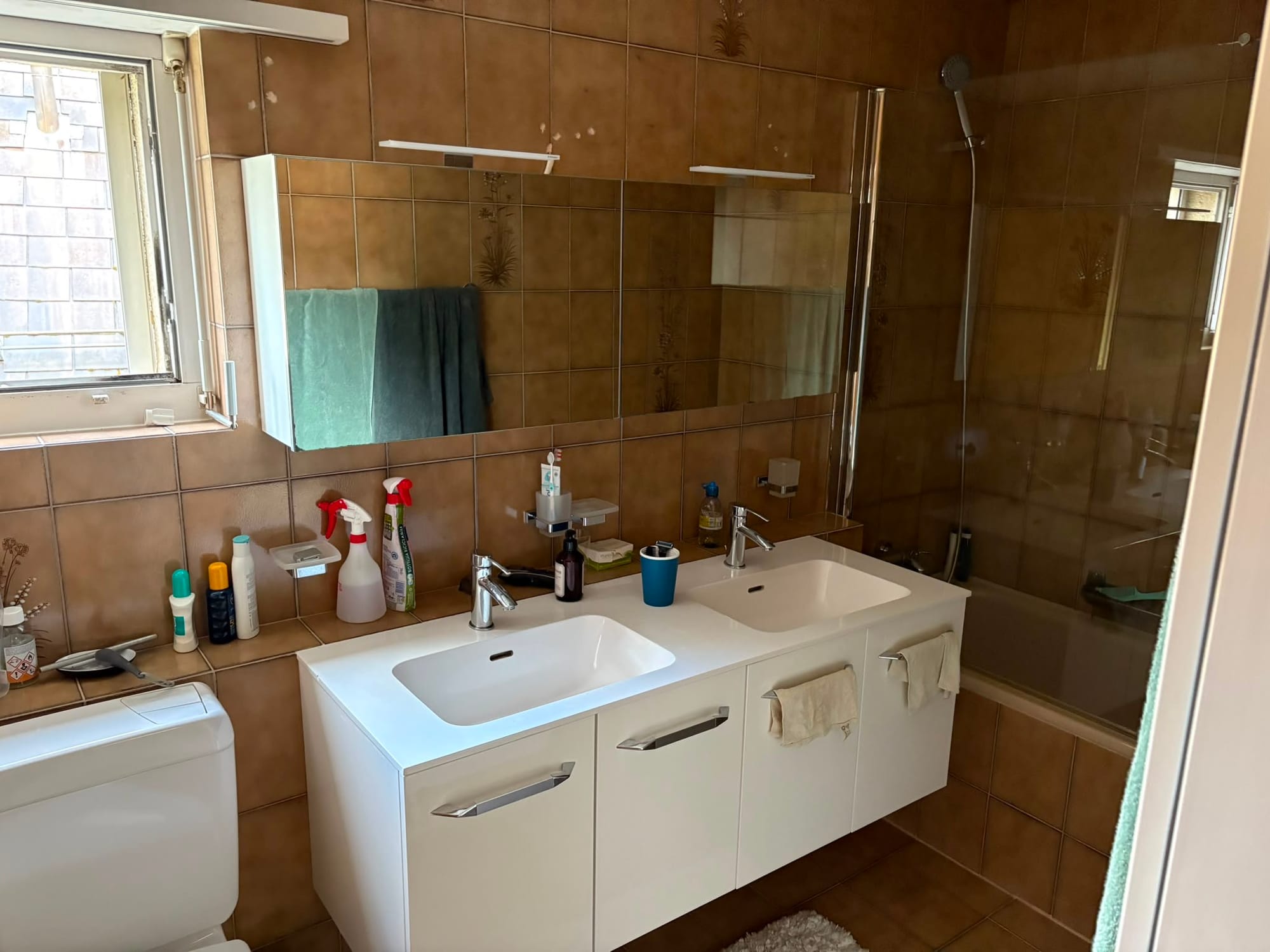
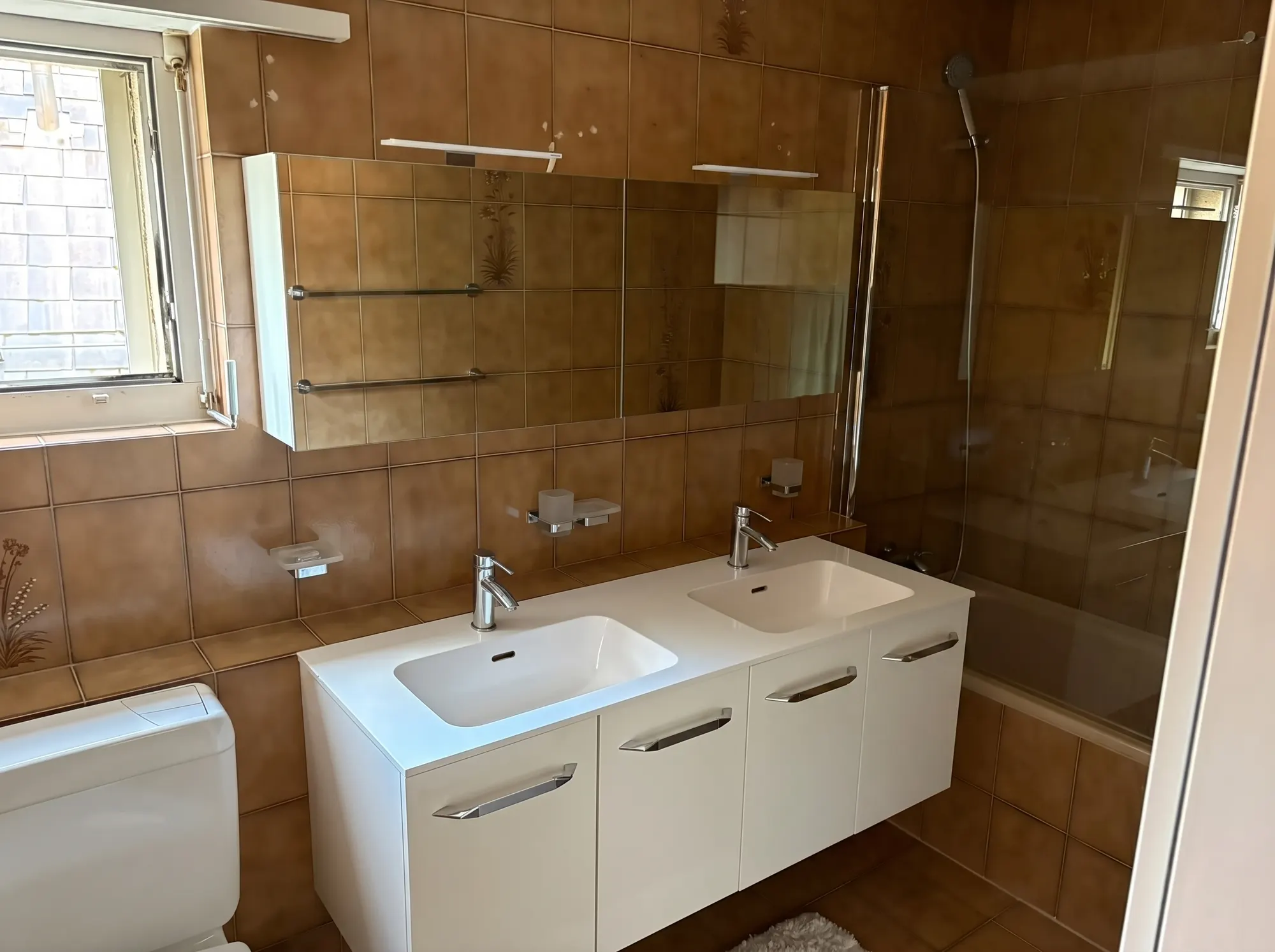 BeforeDecluttered
How decluttering works
From lived-in room to a clean listing photo – in three steps.
Upload a photo
Pick the photo with distracting objects or clutter.
Declutter or empty
Remove clutter and personal items selectively – or empty the room down to the architecture.
Use the result
Download it, use it in your listing or virtually restage the emptied room right away.
01. Declutter
Remove clutter and personal items
Photos, notes on the fridge, drying racks: the AI removes distracting details and protects the occupants' privacy – the room stays authentic.
Try declutteringBeforeDecluttered02. Empty the room
From lived-in to empty
For re-letting or as a staging base: the AI removes all furnishings and reconstructs floors, walls and windows true to the original.
Empty a room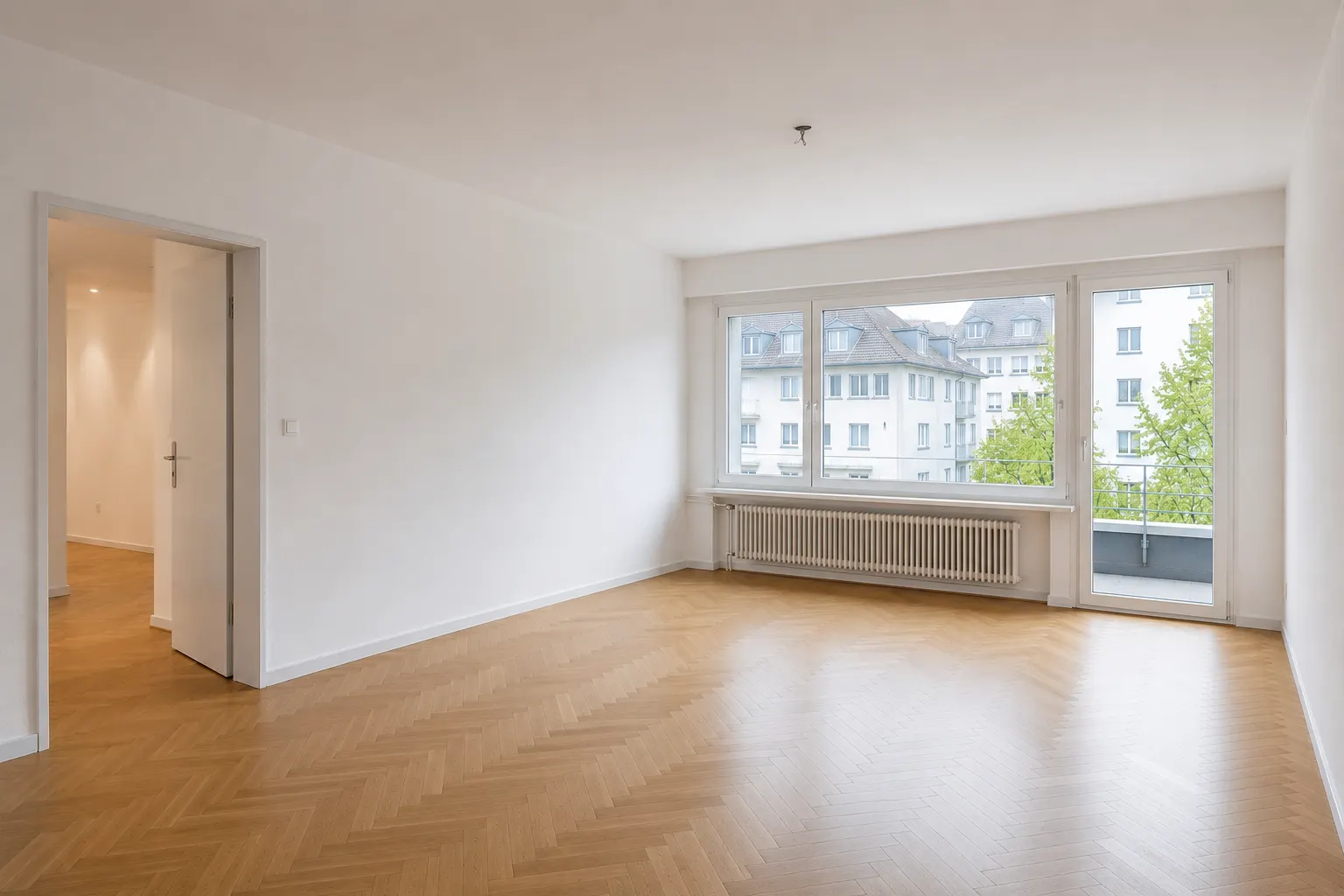
03. Restage afterwards
Empty + staging = a new look
Combine both tools: empty first, then virtually furnish in your target style – show lived-in properties at their best.
Discover staging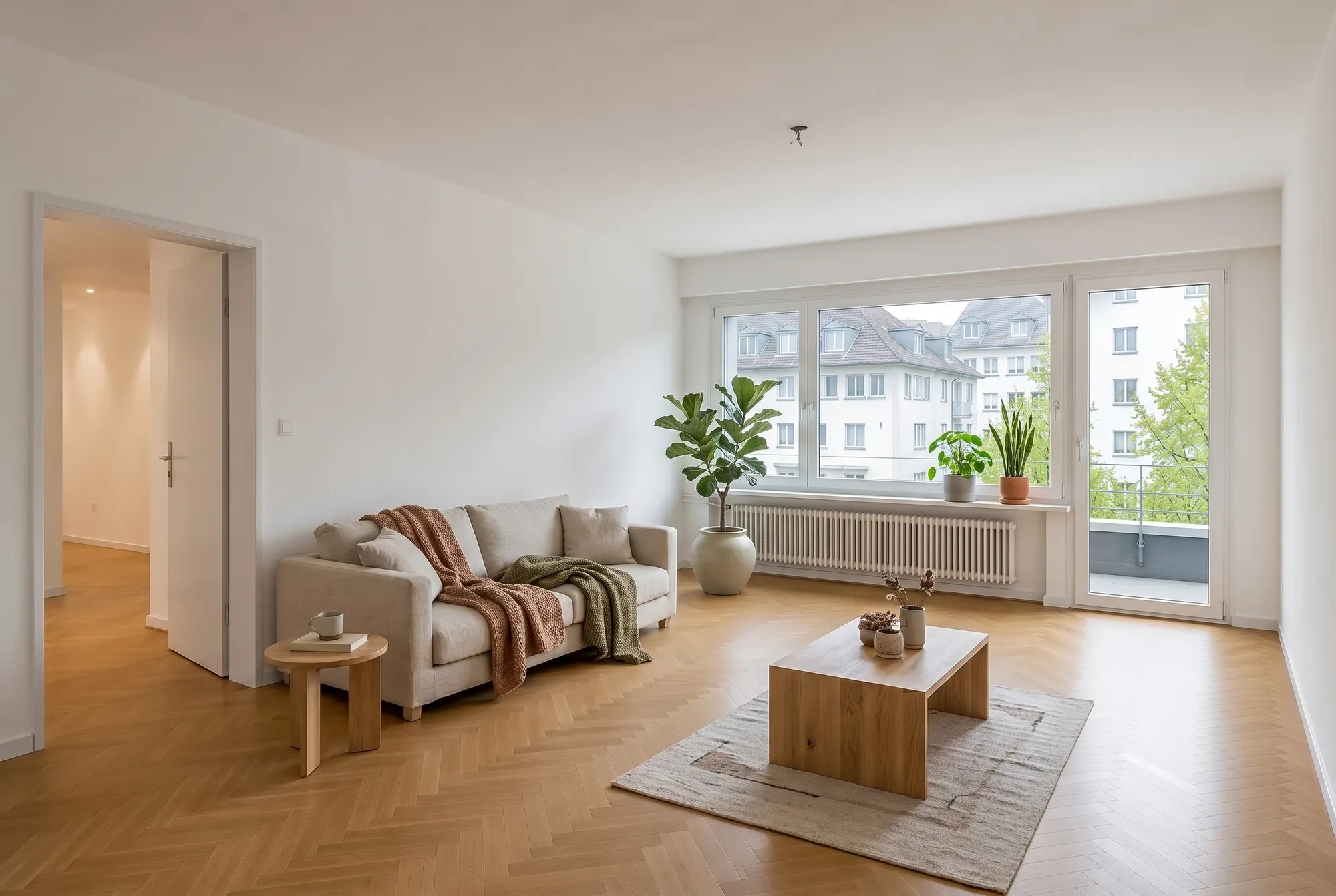
Frequently asked questions
Everything about this tool – answered honestly.
How do I remove furniture from a real estate photo?
Upload the photo and choose “declutter” or “empty room” – the AI removes the furnishings and reconstructs the hidden surfaces photorealistically. Then simply download the result.
What happens to the floor and walls behind the furniture?
The AI reconstructs them from the visible material: parquet continues correctly, wall colours and skirting boards stay consistent. The result looks as if the room had been photographed empty.
Do I have to disclose edited photos?
For fully emptied rooms we recommend a label (e.g. “digitally emptied”), just like with virtual staging. Removing personal items discreetly is primarily about the occupants' privacy – either way, the property itself must remain accurately represented.
Can I remove individual objects only?
Yes. “Declutter” removes clutter and personal details while keeping the furniture. “Empty room” removes all furnishings – you choose what fits the listing.
Why empty rooms digitally instead of re-shooting?
Because it's faster, cheaper and often the only option: occupied properties can rarely be photographed empty, and an empty room is the perfect base for virtual staging in any style.
Get more out of your photos
One upload, many tools: these tools work with the same listing photos.
Declutter your first photo – free
Upload a photo and see the room decluttered or fully emptied – in seconds, right in your browser.